
How do I save a group of tabs and resume work later?
By Bingo · Updated
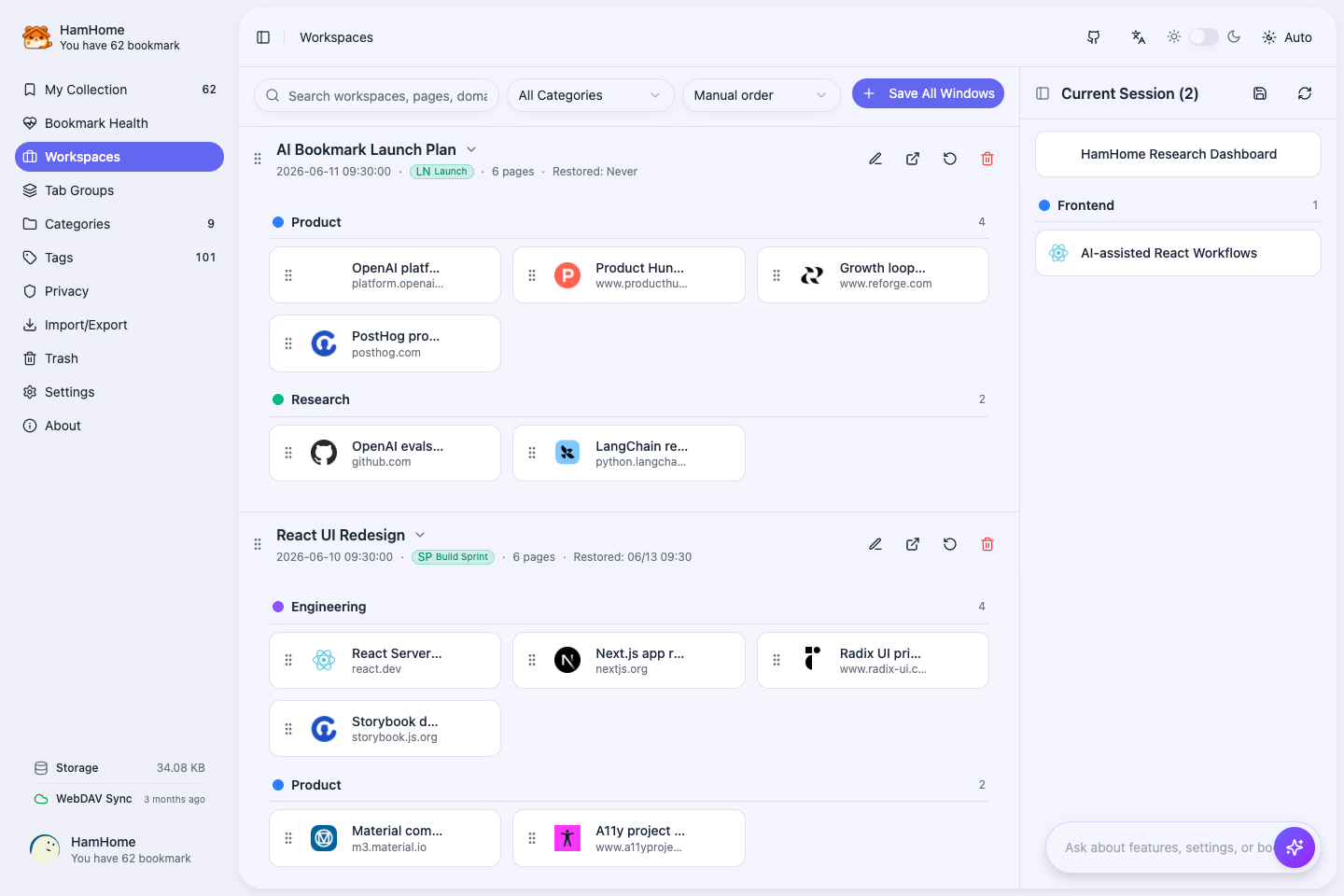
HamHome workspaces save a set of open tabs with page order, pinned state and supported Tab Group information. Restore all or selected pages into the current window or a new one, then turn pages worth keeping into long-term bookmarks.
How to use it
- Save the current browser window as a workspace and give it a name.
- Review the page list and organize the workspace with categories and tags.
- Restore all or selected pages into the current or a new window, optionally skipping duplicate URLs.
- On Chrome/Edge, configure Tab Group rules by domain, URL or title, and optionally use AI grouping.
Requirements and limits
- Workspaces store URLs and session organization, not website sign-in sessions or full running page state.
- The current Firefox build does not run native Tab Group automation. Workspaces still save and restore pages.
- Restoring pages still requires network and website access. Save page snapshots separately for offline reading.