
How can AI organize saved pages, text and images?
By Bingo · Updated
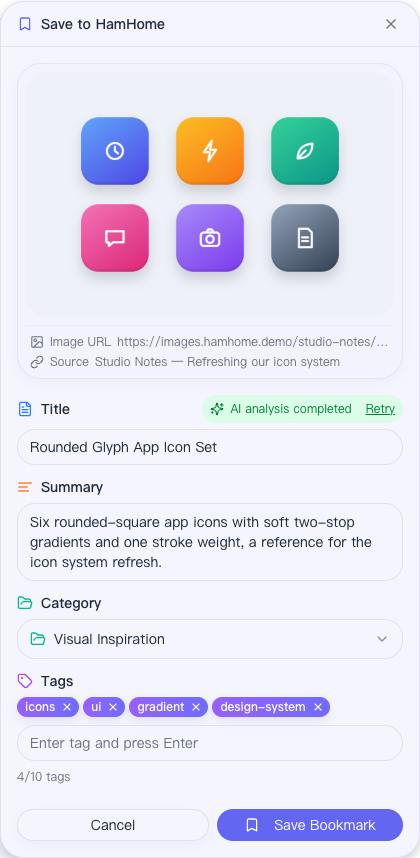
HamHome collections include page bookmarks, text clips and image clips. Save a whole page with extracted content and optional snapshots, or right-click selected text or an image to keep just that piece. After configuring AI, use suggested summaries, categories and tags, then review the result yourself.
How to use it
- Save a page from the toolbar, shortcut or context menu; right-click selected text or an image to create a clip.
- Optionally configure an AI provider. Image analysis requires a vision-capable model and can be disabled separately.
- Review the title, summary, category and tags before saving.
- Filter by content type, category, tags or date; organize selected bookmarks in bulk or re-run analysis.
Requirements and limits
- AI sends relevant content to your selected provider. Privacy domains and automatic privacy detection can skip analysis.
- A snapshot must be captured successfully when saving. Screenshots cover the visible page area.
- Manual capture, categories, tags and keyword search work without configuring AI.