AI Organization
Generate categories, tags and summaries
 HamHome — AI Bookmark Manager
Keep your collections organized and your tabs tidy, with help from AI.
HamHome is an open-source, local-first AI bookmark manager for Chrome, Edge and Firefox. Generate categories, tags and summaries, import existing bookmarks for bulk AI analysis, and find saved content with keyword or semantic search. Also save text and image clips and tab workspaces.
AI requires your own provider or local model. Semantic search needs separate embeddings. Cloud API pricing and processing of relevant content depend on your chosen provider.
AI bookmark organization, from capture to retrieval
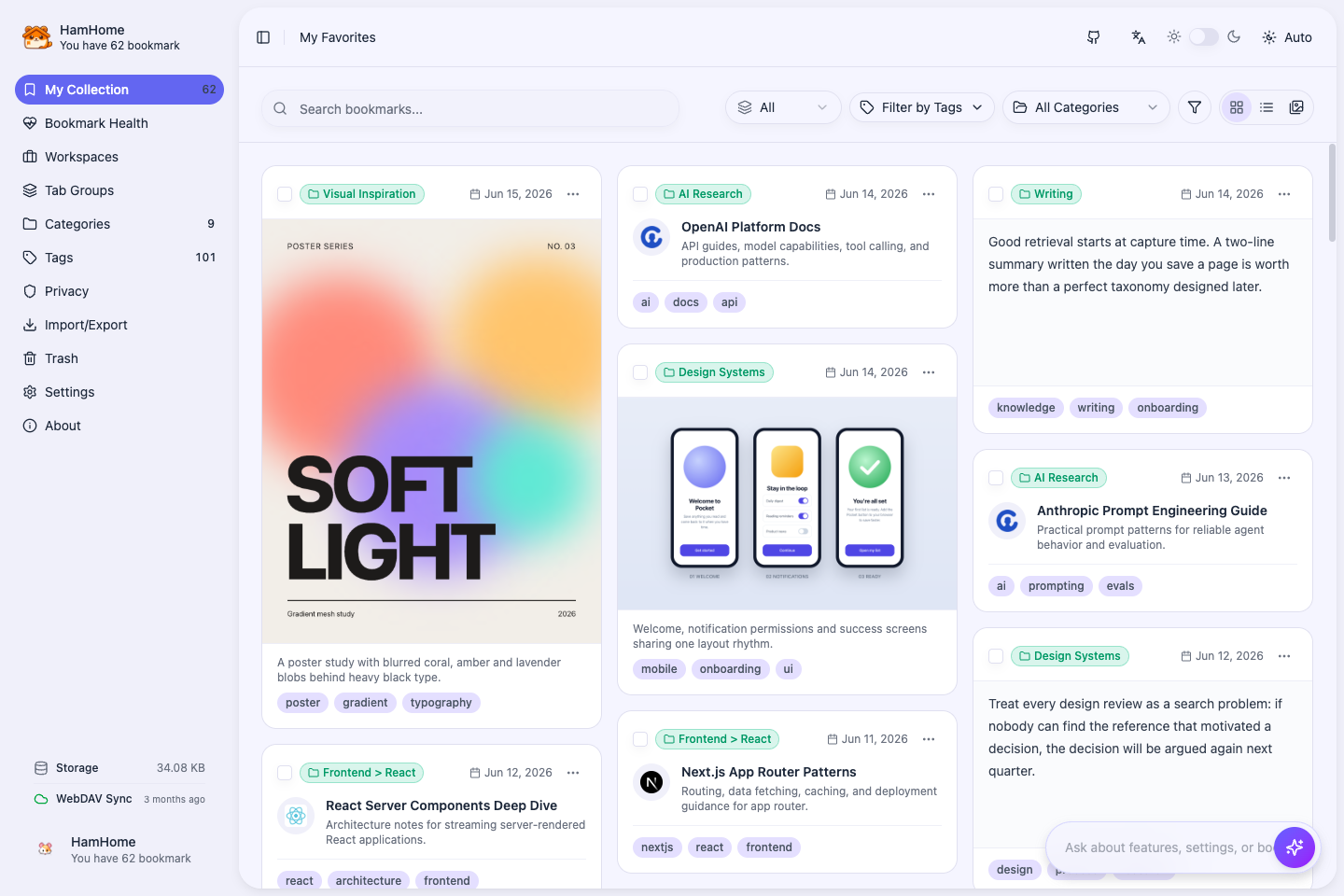
Start with new pages or import existing browser bookmarks into HamHome. Generate categories, tags and summaries, then find saved content by keywords or meaning.
Generate categories, tags and summaries
Save a passage or an image with its source
Import browser bookmarks or HTML; analyze in bulk
Find and summarize saved content
Save and restore tab sessions
Find by topic with separately configured embeddings
Sync structured data to your own server
Browser storage and sensitive-site bypass
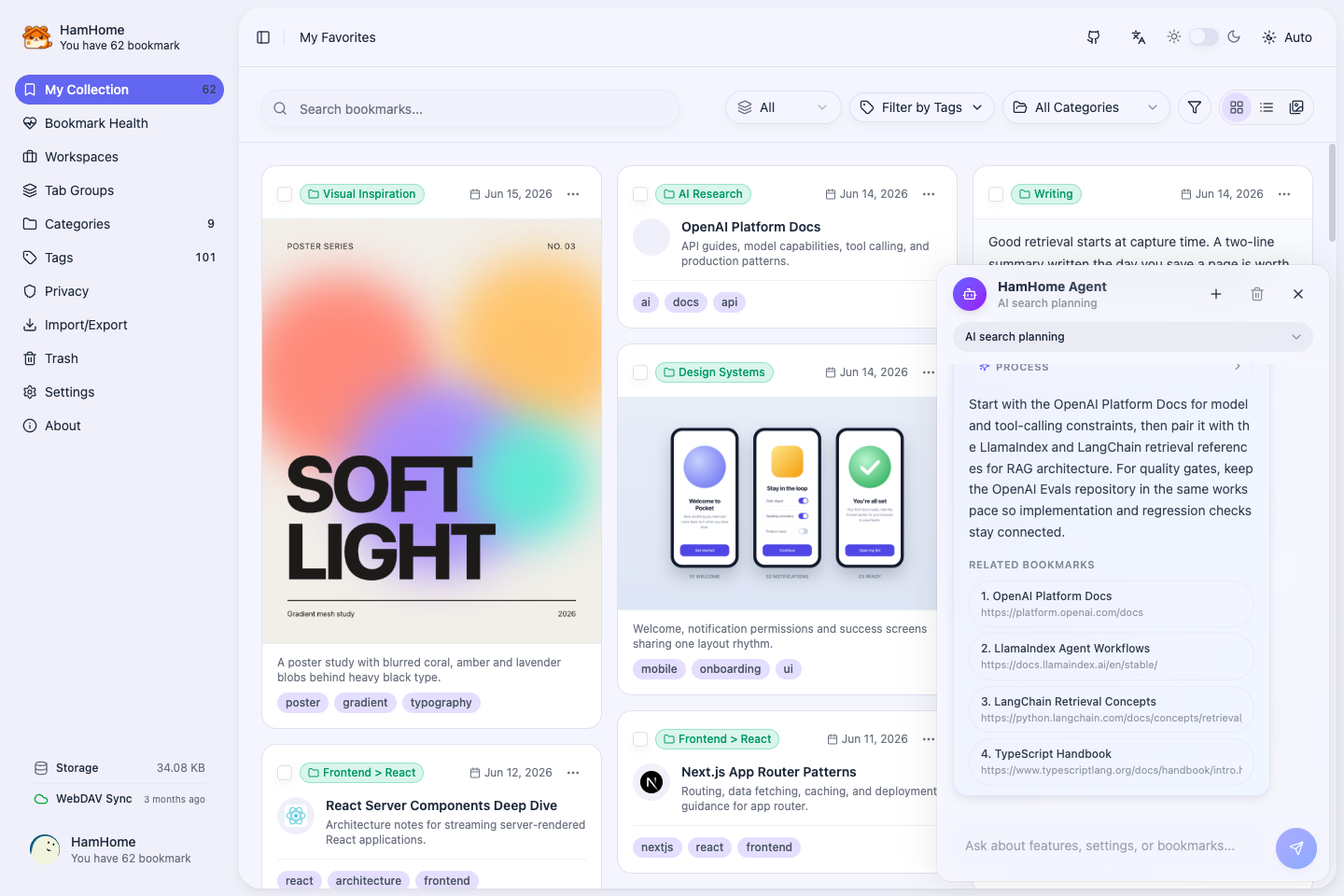
The optional Agent searches, summarizes and runs supported tools, showing its execution steps.
Search saved content and return matching sources.
Review saved content and return a summary with bookmark references.
Inspect status and open the relevant extension page; credentials stay manual.
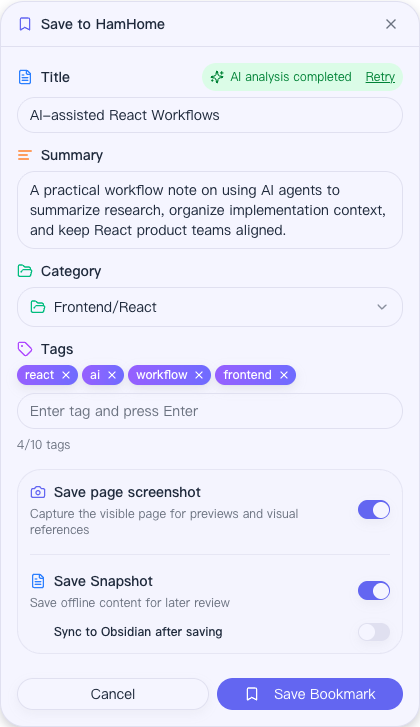
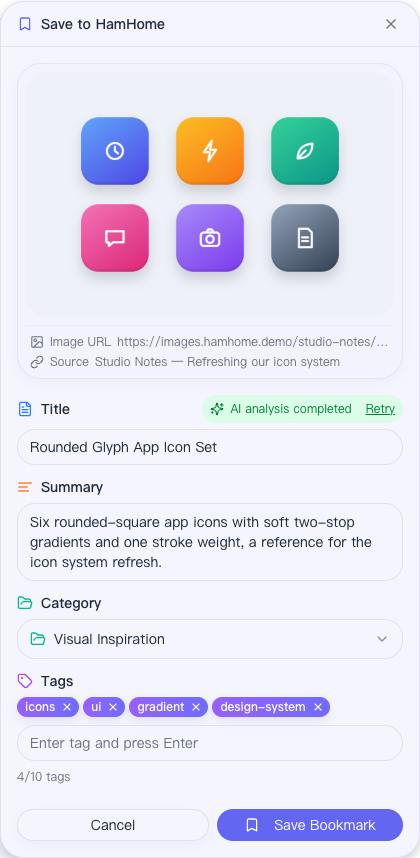
Saving happens right on the page: HamHome extracts the content, suggests a summary, category, and tags, and can keep a local HTML or Markdown snapshot plus a screenshot of the visible page.
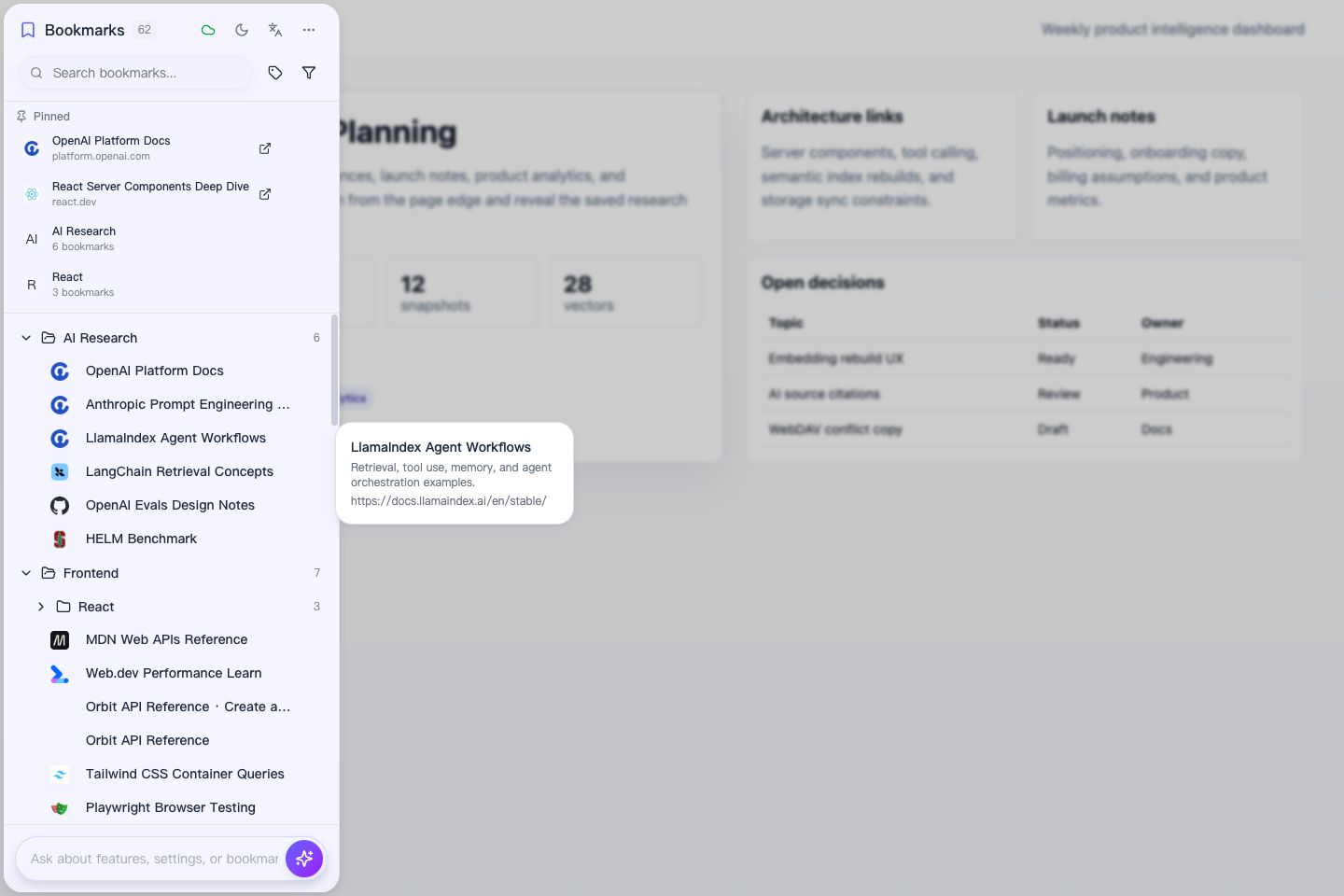
Right-click selected text or an image to save just that piece. Clips keep their source page, get AI tags, and show up in the library as text and image cards.
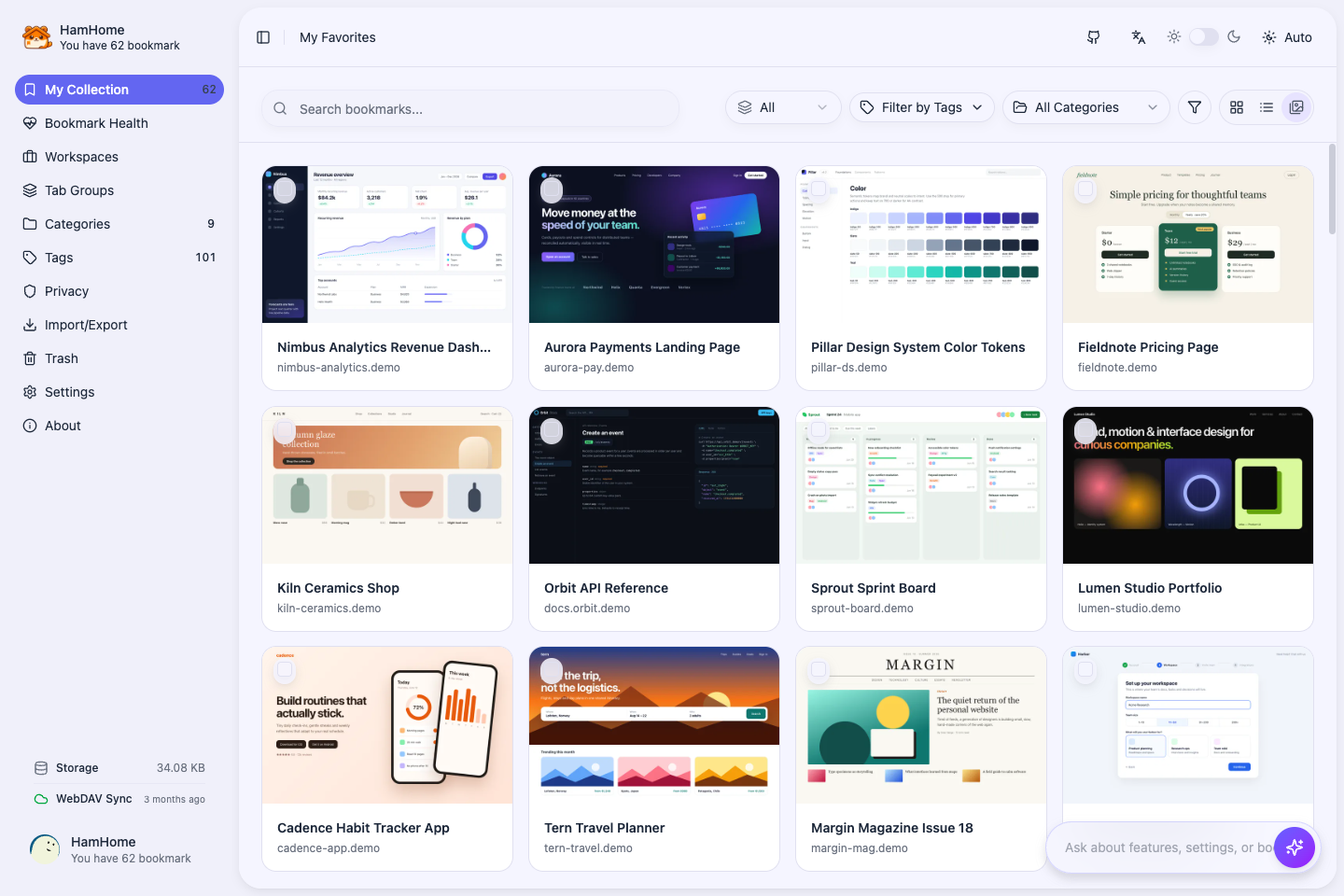
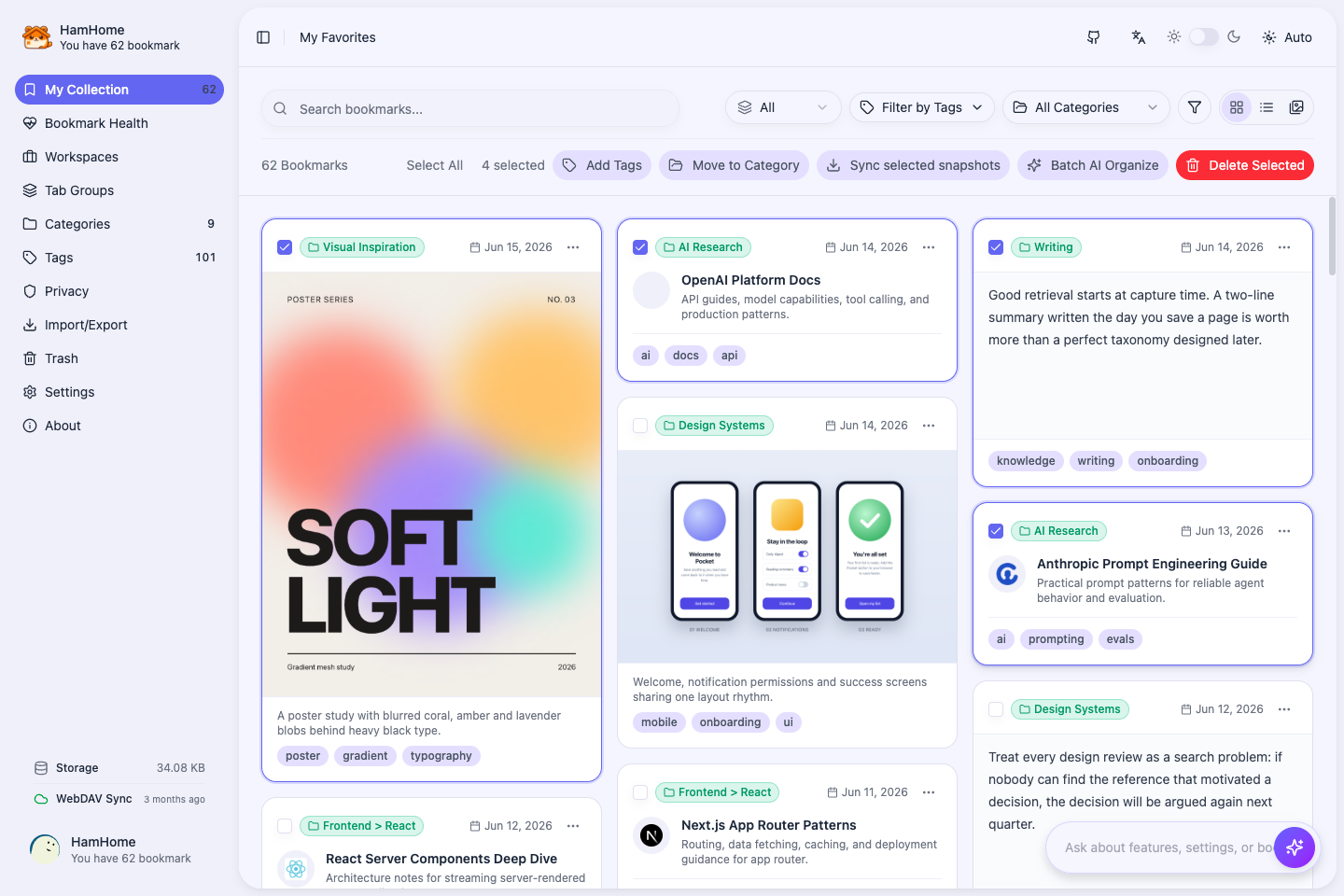
Switch between masonry cards, a compact list, and a gallery of saved page screenshots. Narrow things down by category, tags, content type, time range, or custom filters, then act on many bookmarks at once.
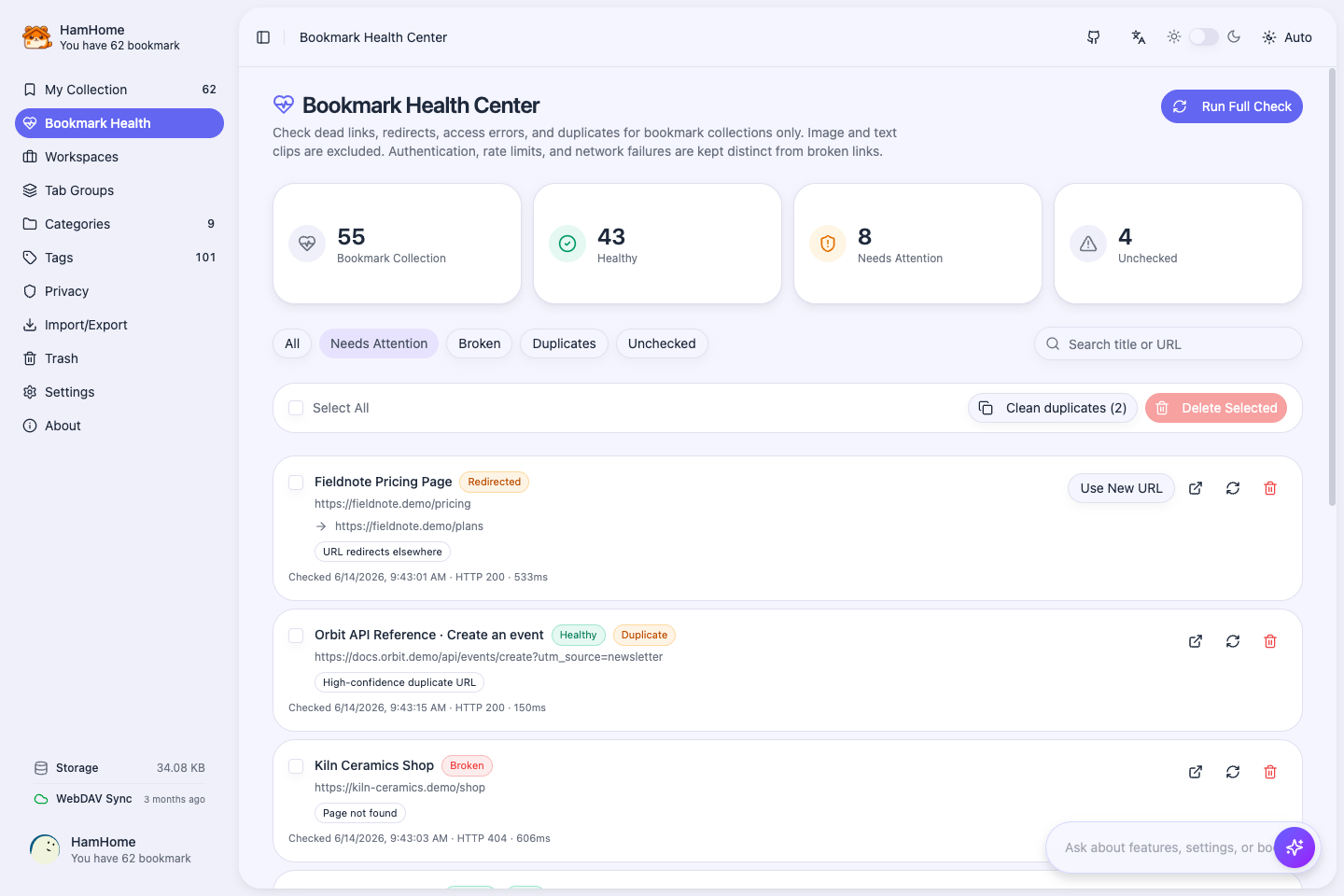
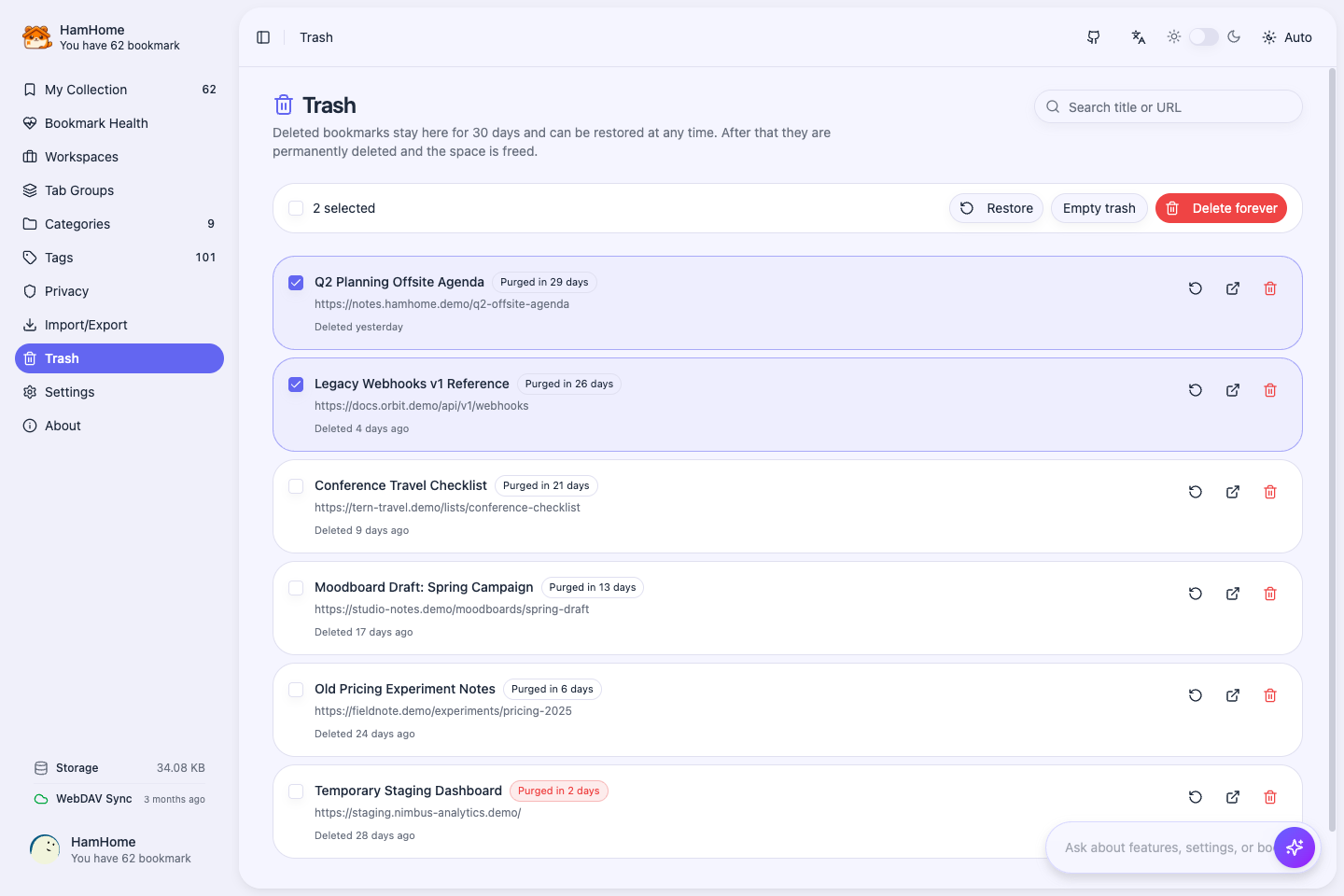
The Bookmark Health Center checks links and finds duplicates. Deleted bookmarks wait in Trash for 30 days before they are purged for good.
The Agent can read HamHome's feature and settings context, explain how the extension works, open views, inspect status, run tools, and handle safe configuration changes.
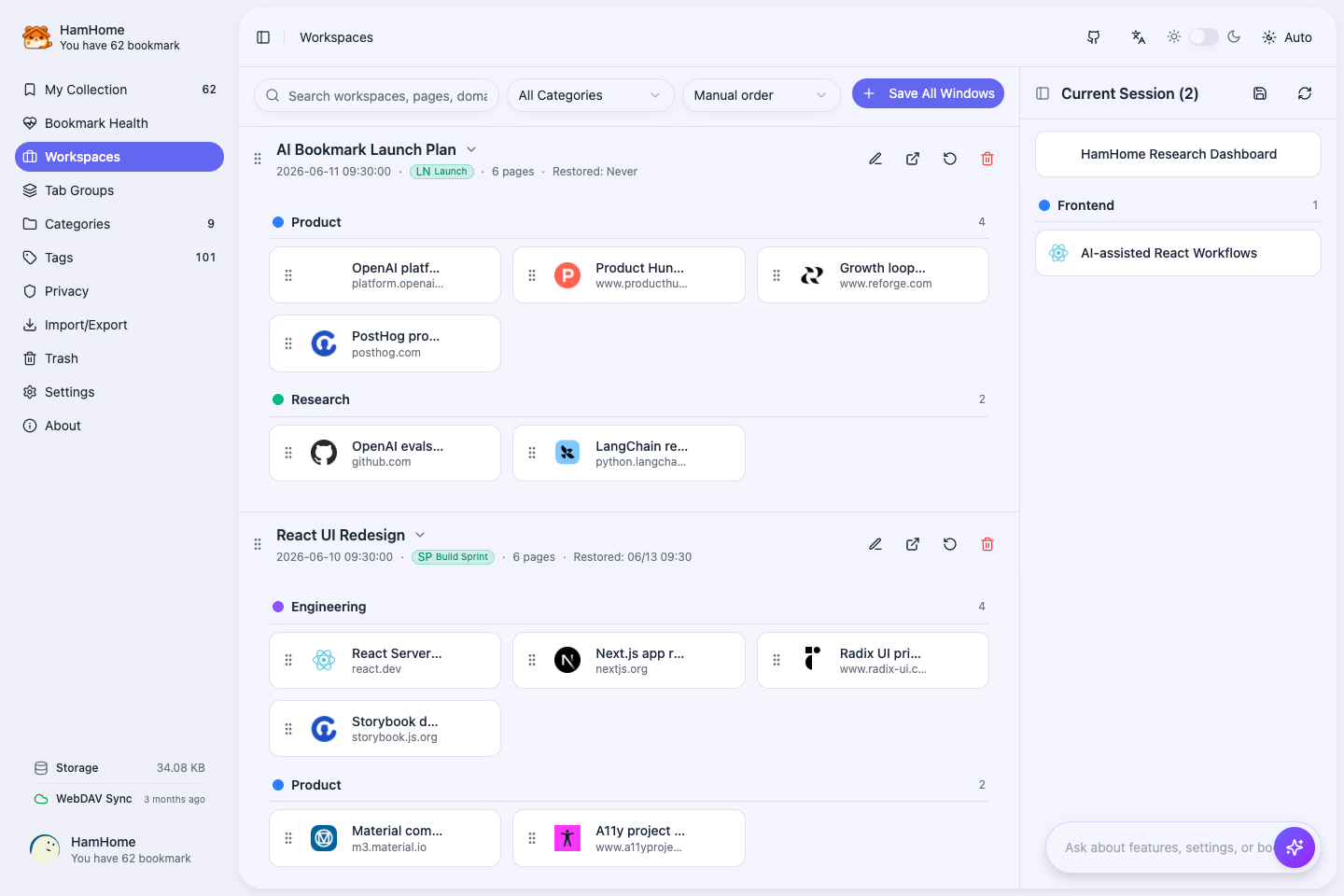
Workspaces preserve tab order, pinned state, domains, favicons, and native Tab Group metadata, then restore all or selected pages later.
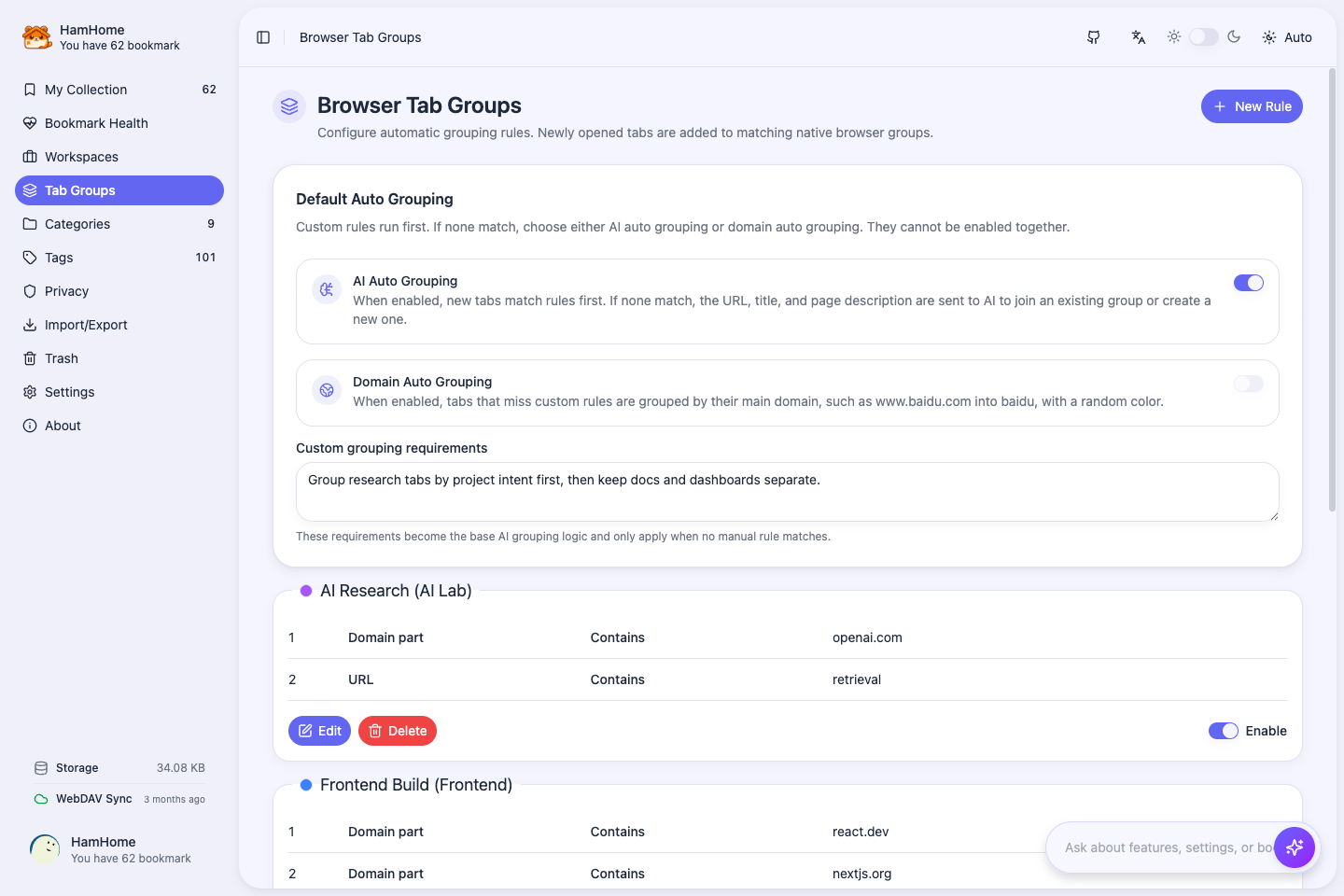
Create rules by domain, URL, title, case-insensitive title, or regex. Unmatched tabs can fall back to domain grouping or AI grouping.
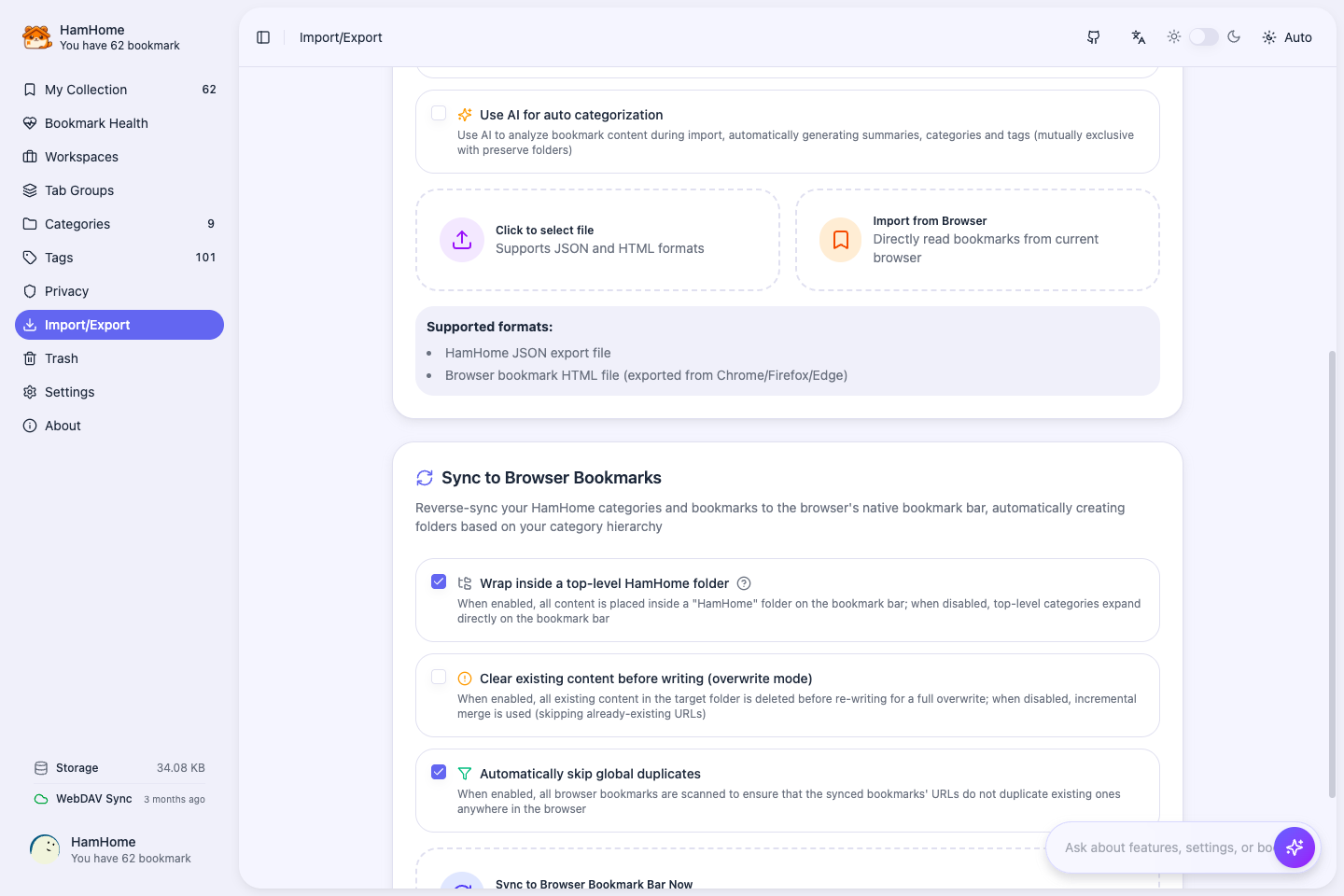
Import browser bookmarks, export JSON/HTML backups, write HamHome bookmarks back to the browser bar, and sync structured data through WebDAV.
Tools for your collections and tabs
Understands HamHome features and settings, then opens views, checks status, runs tools, and handles safe setup.
Hybrid retrieval combines exact matches and embedding similarity, with content-type and custom date-range filters.
Keep local HTML or Markdown snapshots and visible-page screenshots, and optionally send notes to Obsidian.
Deleted bookmarks stay restorable for 30 days, then are purged to free up space.
Sync settings, bookmarks, clips, workspaces, and rules; deletions travel as tombstones.
Import bookmark HTML, read native browser bookmarks, and write back to the bookmark bar.
Use OpenAI, Anthropic, Gemini, Azure, DeepSeek, Ollama, custom endpoints, and more.
Keep sensitive domains out of AI analysis and screenshots, and credentials outside Agent automation.
Data boundaries
HamHome stores primary data in browser storage and IndexedDB, lets you exclude sensitive domains from AI analysis, and keeps credentials out of Agent automation. Image clips reach your AI provider only while image analysis is on, and never from private pages.
Bookmarks, snapshots, page screenshots, AI cache, and vectors are stored locally and can be managed separately.
Sensitive sites such as banking, email, and admin systems can bypass AI analysis and page screenshots.
WebDAV sync writes structured HamHome data, including clips and deletion tombstones, under /HamHomeSync. Snapshot files and page screenshots stay on this device unless you download them or send Markdown notes to Obsidian.
API keys, Base URLs, privacy domains, WebDAV credentials, and browser shortcuts are configured by the user, not by the Agent.
HamHome is an open-source, local-first AI bookmark manager for Chrome, Edge and Firefox. Generate categories, tags and summaries, import existing bookmarks for bulk AI analysis, and find saved content with keyword or semantic search. Also save text and image clips and tab workspaces.
It suits people who want AI categories, tags and summaries, imported bookmark organization, and semantic retrieval while choosing their own AI provider. Plan for provider setup first; installing HamHome does not automatically rearrange native browser folders.
Yes. Import browser bookmarks or an HTML file into HamHome, configure AI, and select bookmarks for bulk analysis. During import, preserving folders as categories and automatic AI analysis are mutually exclusive. Writing results back to the browser bookmark bar is a separate, optional action.
Yes. Save pages, text and images, manually organize categories and tags, search by keywords, and save or restore workspaces. AI summaries, semantic search and the Agent require the corresponding provider or local endpoint configuration.
No. Primary data stays in your browser by default. AI provider accounts and optional WebDAV credentials are configured separately by you.
Yes. Select text or right-click an image and choose to save it. Text clips keep the exact quote and reopen the source page at that passage; image clips keep the image URL, source page, size, format, and dominant colors. Both appear in the library as cards and can be filtered by content type.
HamHome supports Chrome / Chromium and Microsoft Edge with Manifest V3 builds. Firefox builds are also provided. The current Firefox build does not run native Tab Group automation; use workspaces to save and restore sessions.
No. Bookmarks are the long-term layer, but HamHome also manages current browsing sessions through workspaces and Tab Group rules. You can save open tabs, restore selected pages, and convert useful workspace pages into bookmarks later.
Primary data is stored locally in browser storage and IndexedDB. That includes bookmarks, clips, categories, settings, snapshots, page screenshots, AI cache, vector data, workspaces, and rules.
Cloud AI receives relevant page content for analysis. You can configure privacy domains and use automatic privacy detection so sensitive sites skip AI analysis and page screenshots. Review the privacy settings before analyzing sensitive content; keys and endpoints are configured by you.
Page screenshots capture only the visible area of the page, without HamHome UI, and are stored in IndexedDB on the current device. They are not included in WebDAV sync or JSON backups, and private pages skip screenshots by default. Settings shows how many screenshots you have and how much space they use; each one can be downloaded or deleted from the screenshot viewer.
No. The Agent can explain settings, open relevant extension views, inspect safe status, and adjust safe non-sensitive options, but it does not read or fill API keys, Base URLs, privacy domains, sync credentials, or browser shortcuts.
After you configure a provider, AI can generate a category, tags and a summary from page content. Review and adjust the result when saving. You can also select existing HamHome bookmarks for bulk reanalysis.
Yes. Configure an embedding provider and model separately from the chat model, then build the vector index. Keyword search remains available without embeddings.
HamHome uses a Bring Your Own Key model. You connect your own provider account or local endpoint. Cloud API usage may incur charges under that provider’s pricing; local endpoints such as Ollama depend on your own setup.
Chat providers include OpenAI, Anthropic, Google Gemini, Azure OpenAI, DeepSeek, Groq, Mistral, Moonshot/Kimi, Zhipu/GLM, Tencent Hunyuan, NVIDIA NIM, SiliconFlow, Ollama, and custom OpenAI-compatible APIs. Embeddings are configured separately for semantic search.
Yes, with a vision-capable model. When you save an image clip, HamHome can send the image to your AI provider to suggest a title, summary, category, and tags. You can turn off "AI analysis for image clips" in AI settings, and images from private pages are never sent.
The Agent can find and summarize saved content, explain features, open extension pages, check status and run supported management tools. For example, ask it to find saved React articles or inspect WebDAV sync status. It shows execution steps; credentials and sensitive settings remain under your control.
Yes. WebDAV sync writes structured HamHome data under /HamHomeSync, including settings, bookmarks and bookmark text content, clips, categories, workspaces, workspace categories, Tab Group rules, and auto-group settings. Bookmarks are matched by URL, so syncing from several devices does not create duplicates.
It moves to Trash and stays restorable for 30 days, together with its content, snapshot, screenshot, and clips. After that, or when you delete it forever, HamHome removes the data and keeps only a lightweight tombstone so the deletion also syncs to your other devices.
No. WebDAV sync focuses on structured data and bookmark text content. Local HTML/Markdown snapshot files and page screenshots remain on the device unless you download them or send Markdown-style notes through the Obsidian workflow.
Yes. HamHome can write organized bookmarks back to the browser bookmark bar, with options for root folder, clear-first behavior, and duplicate skipping.
Available for Chrome, Edge, and Firefox. Start with local data, then add AI, semantic search, WebDAV, or Obsidian only when you need them.